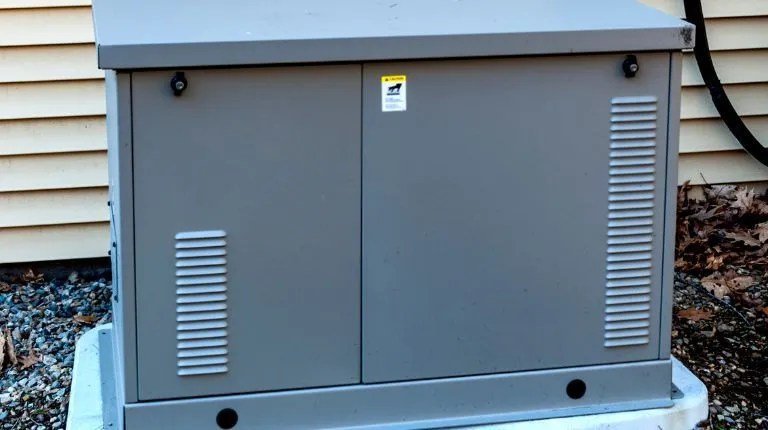
When the lights go out, your generator isn't just a machine; it's a lifeline. But what happens when that lifeline sputters, struggles, or worse, offers no power at all? Often, the culprit isn't a catastrophic engine failure, but something far more common and solvable: issues with your generator's plugs and associated electrical systems. Mastering Generator Plug Troubleshooting & Maintenance is crucial for ensuring reliable operation when you need it most. It's about knowing how to diagnose problems quickly, implement effective fixes, and maintain your unit proactively, safeguarding your investment and your peace of mind.
At a Glance: Key Takeaways for Generator Plug Reliability
- Safety First, Always: Before touching anything, disconnect loads, turn off the generator, let it cool, and disable accidental starting (spark plug cap/battery).
- Visual Inspection is Powerful: Many issues, from loose connections to burnt plugs, are visible. Look for charring, corrosion, or physical damage.
- Test Methodically: Don't guess. Use a multimeter to confirm voltage, continuity, and identify dead circuits or receptacles.
- Beyond the Plug: Plug problems often stem from broader generator issues like fuel delivery, battery health, or tripped breakers.
- Regular Maintenance Saves Headaches: Clean connections, proper storage, and periodic operation are your best defense against unexpected failures.
- Know Your Limits: For complex electrical faults or internal engine issues, a professional technician is your safest and most cost-effective option.
Why Your Generator Plug Matters: The Unsung Hero of Power
Think of your generator's plugs – the outlets you connect devices to – as the final gatekeepers of power. They're where your generator's internal workings meet the external world, translating mechanical energy into usable electricity. While the engine might be humming beautifully, a faulty plug, a tripped breaker, or a loose connection at this critical juncture can mean no power for your home or tools.
Understanding how to troubleshoot and maintain these points isn't just about fixing a specific outlet; it's about grasping the entire power delivery chain from the alternator to your connected devices. It's an essential skill for any generator owner, ensuring that when you hit the "on" switch, power flows reliably.
Safety First: Your Non-Negotiable Pre-Check Ritual
Before you even think about inspecting or touching any part of your generator, safety must be your absolute top priority. Skipping these steps can lead to severe injury, electrocution, fire, or carbon monoxide poisoning.
- Remove All Connected Loads: Unplug everything from the generator's receptacles. This eliminates potential backfeed and reduces electrical risks.
- Power Down Completely: Turn the generator's engine switch to the "OFF" position.
- Allow for Cooling: Engines and mufflers can reach extremely high temperatures. Give the unit ample time to cool down before handling any components.
- Disable Accidental Starting:
- For all generators: Disconnect the spark plug cap from the spark plug. This prevents the engine from accidentally firing while you're working.
- For electric-start models: Additionally, disconnect the negative battery cable from the battery terminal.
- Gear Up: Always wear personal protective equipment (PPE). This includes safety goggles to protect your eyes from debris or electrical arcs, and heavy-duty work gloves to protect your hands from sharp edges, heat, or chemicals.
- Ventilation and Fire Safety: Work in a well-ventilventilated area to prevent carbon monoxide buildup. Never operate a generator indoors or in an enclosed space. Keep a fire extinguisher (ABC type) readily accessible.
- Stable Surface: Ensure your generator is on a firm, level surface to prevent it from tipping over during inspection or repair.
Only once these safety protocols are meticulously followed can you begin the troubleshooting process with confidence.
Decoding Generator Plug Issues: Symptoms and Root Causes
Generator plug problems rarely exist in isolation. They're often symptoms of a larger electrical or mechanical issue within the generator itself. Recognizing the symptoms is the first step toward effective diagnosis.
Common Electrical Gremlins that Affect Plugs
While we're focusing on the plug, it's vital to remember that a plug's performance is intrinsically linked to the entire power generation system. Many common generator problems ultimately manifest as a lack of power at the outlets:
- Fuel Issues: Contaminated, stale, or insufficient fuel. Ethanol-blended fuels can damage carburetors over time, leading to poor engine performance and thus, poor power output. A clogged fuel line or filter starves the engine.
- Battery and Electrical Failures (Beyond the Plug Itself): A weak battery in electric-start models, poor connections, faulty spark plugs, or a defective ignition coil can prevent the engine from starting or running smoothly.
- Mechanical Wear and Tear: Worn brushes, a damaged alternator, or motor bearing problems can reduce or eliminate power generation entirely.
- Environmental and Load Factors: Operating the generator beyond its rated capacity, in dusty/humid conditions, or without adequate ventilation/cooling can lead to premature failures or protective shutdowns.
Specific Plug-Related Symptoms and What They Mean
When power isn't flowing from your outlets, here’s what you might observe and what it could indicate:
- No Power from Any Receptacle:
- Generator running but no power: Could be a tripped main circuit breaker, a problem with the Automatic Voltage Regulator (AVR), a loss of residual magnetism in the alternator (requiring "field flashing"), or a major internal electrical fault.
- Generator not starting/running: This points to engine-related issues (fuel, spark, battery) which naturally prevent power generation.
- Intermittent Power from a Receptacle:
- Loose wiring: A connection within the receptacle, the main panel, or the wiring harness might be loose, causing power to cut in and out.
- Overheating: An overloaded circuit or a faulty plug/wire could be generating excessive heat, leading to intermittent disconnections or thermal shutdowns.
- Power from Some, But Not All Receptacles:
- Tripped individual circuit breaker: Many generators have multiple breakers, protecting different outlet types (e.g., 120V vs. 240V). One might be tripped.
- Faulty receptacle: The specific outlet itself might be damaged internally, preventing it from passing current.
- Incorrect wiring/damaged internal wiring: A rare but serious issue where internal wiring leading to certain outlets is compromised.
- Receptacle Feels Hot or Has Burn Marks:
- Overload: The connected load is drawing more amperage than the receptacle is designed for.
- Loose connection: A loose wire connection creates resistance, which generates heat.
- Internal damage: The receptacle itself may be faulty or shorting internally.
- Generator Shuts Down When a Device is Plugged In:
- Overload: The device draws too much power, tripping the generator's overload protection.
- Short circuit in the device/cable: A faulty device or cable connected to it causes a short, tripping the generator's breaker.
- Sensitive GFCI outlet tripping: Some generators have Ground Fault Circuit Interrupter (GFCI) outlets that are highly sensitive and can trip with minor imbalances or faulty devices.
Step-by-Step Generator Plug Troubleshooting: From Outlet to Engine
Now that you understand the common symptoms, let's systematically approach troubleshooting. Start with the easiest, most obvious checks and progressively move to more complex diagnostics.
1. The Visual Rundown: What to Look For
Before grabbing any tools, perform a thorough visual inspection. This often reveals obvious culprits.
- Check Fuel Level: Is there enough fresh, clean fuel? Stale fuel can cause significant starting and running problems.
- Examine All Plugs/Receptacles: Look for any signs of physical damage, charring, melted plastic, bent prongs, or corrosion within the outlets. Even subtle discoloration can indicate overheating.
- Inspect Cords and Connections: Are all extension cords and appliance cords in good condition, without cuts, frayed insulation, or damaged plugs?
- Wiring Check: While you shouldn't disassemble the control panel immediately, look for any obvious loose wires, disconnected terminals, or signs of rodent damage around the external wiring harness.
- Air Filters: A clogged air filter restricts airflow, causing the engine to run poorly and potentially reduce power output.
- Oil Level: Many generators have a low-oil sensor that prevents starting or shuts down the engine if the oil level is too low, protecting it from severe damage.
2. Testing Receptacles: The Power Output Check
This is where you confirm if power is actually reaching the outlets.
- Use a Multimeter: Set your multimeter to AC voltage. Carefully insert the probes into the slots of each receptacle (120V and 240V, as applicable). You should read approximately 120V or 240V.
- Check Each Receptacle: Don't just check one. If some work and others don't, it points to an issue with specific circuits or receptacles.
- GFCI Outlets: If your generator has Ground Fault Circuit Interrupter (GFCI) outlets, ensure they haven't tripped. Press the "RESET" button firmly. If it immediately trips again, there's likely a persistent ground fault or a faulty GFCI outlet.
3. Breakers and Fuses: The First Line of Defense
Circuit breakers and fuses are safety devices designed to protect your generator from overloads and short circuits.
- Main Circuit Breaker: Locate the main circuit breaker on your generator's control panel. If it's tripped, it will typically be in an intermediate position between "ON" and "OFF." Firmly push it to "OFF" and then back to "ON."
- Individual Circuit Breakers: Many generators have separate breakers for different receptacles (e.g., 120V 20A, 120V 30A, 240V 30A). Check and reset any that are tripped.
- Fuses: Some generators, especially older models or those with DC output, may have fuses. Locate any fuse holders, remove the fuses, and check their continuity with your multimeter. Replace any blown fuses with an exact amperage match. If a circuit breaker repeatedly trips, or a fuse blows repeatedly, it's a strong indication of an overload, a short circuit in the connected device, or a faulty breaker/fuse itself. This needs further investigation before simply resetting or replacing again.
4. Beyond the Plug: Investigating the Generator's Core Systems
If your visual inspection and breaker checks haven't solved the issue, the problem likely lies deeper within the generator's operating systems.
a. Fuel System Integrity
A generator needs clean, stable fuel to run.
- Fresh Fuel: Always use fresh gasoline, preferably ethanol-free for small engines. If your fuel has been sitting for months, drain it and refill with new. For long-term storage, understanding how a fuel stabilizer protects your generator is critical.
- Fuel Valve and Vent: Ensure the fuel valve is open and the gas cap vent is clear. A clogged vent can create a vacuum, starving the engine of fuel.
- Fuel Filter: Inspect and replace the fuel filter if it looks dirty or clogged.
- Carburetor: If the engine struggles to start, runs rough, or stalls, the carburetor might be clogged, especially if old fuel was left in the tank. Consider cleaning your generator's carburetor or using a fuel system cleaner.
b. Spark and Ignition: The Engine's Heartbeat
Without a strong spark, the engine won't ignite fuel.
- Spark Plug Inspection: Remove the spark plug (after disconnecting the cap).
- Condition: Look for carbon deposits (black and sooty), oil fouling (wet and oily), or white deposits (overheating/fuel additives).
- Gap: Check the gap between the electrodes. It should match the manufacturer's specifications. A feeler gauge is ideal for verifying the correct spark plug gap. Adjust if necessary, or better yet, replace it annually or after 100 hours of operation.
- Electrode Wear: If the electrodes are heavily eroded or rounded, replace the plug.
- Spark Test: With the spark plug cap reconnected to the new or cleaned plug, hold the plug's threaded body against a metal part of the engine (ensuring good ground) and try to start the generator. You should see a strong, blue spark. If not, the spark plug, ignition coil, or related wiring might be faulty.
c. Battery Health and Connections
For electric-start models, the battery is crucial.
- Battery Voltage: Use a multimeter to check the battery's voltage. A fully charged 12V battery should read around 12.6V or higher. Anything below 12V indicates a discharged battery.
- Charge if Discharged: Recharge the battery with a suitable battery charger.
- Clean Terminals: Inspect battery terminals for corrosion. Clean them thoroughly with a wire brush and baking soda solution. Ensure all connections are tight. Regular how to maintain your generator's battery can prevent sulfation and extend its lifespan.
d. Airflow and Cooling
- Air Filter: Clean or replace the air filter at recommended intervals. A dirty filter chokes the engine.
- Cooling Vents: Ensure all air vents and cooling fins are free of dust, debris, and obstructions. Overheating can lead to automatic shutdowns or reduced performance. For liquid-cooled models, check radiator fluid levels and cooling fan operation.
e. Output Power & Field Flashing
If the engine runs perfectly but no AC power is produced from any receptacle, the problem likely lies within the generator's alternator or voltage regulation system.
- Loss of Residual Magnetism: This is a common issue, especially if the generator has been stored for a long time or subjected to a heavy overload. The alternator's rotor loses its faint magnetic field, which is necessary to "kickstart" power generation. This can often be resolved by "field flashing."
- What is Field Flashing? It involves briefly applying a small direct current (from a 12V battery, never directly from house current) to the exciter circuit of the generator's alternator. This "re-magnetizes" the rotor. Caution: This is an advanced procedure that requires specific knowledge of your generator's wiring and can be dangerous if done incorrectly. Consult your user manual or a professional. For more in-depth information, you can dive into troubleshooting generator alternators.
- Automatic Voltage Regulator (AVR): The AVR controls the output voltage. A faulty AVR can cause unstable voltage, no output, or excessively high voltage. This is a component that typically requires professional diagnosis and replacement.
Essential Maintenance for Long-Term Plug Reliability
Proactive maintenance prevents most plug-related headaches.
- Regular Inspection and Cleaning:
- Examine Receptacles: Periodically inspect all outlets for signs of wear, discoloration, or loose connections.
- Clean Connections: If you notice any dust or debris in the outlets, use compressed air to clear them. For external connections, ensure they are clean and dry.
- Proper Storage Practices:
- Dry Environment: Store your generator in a clean, dry environment, protected from moisture and extreme temperatures. Humidity can lead to corrosion on electrical contacts.
- Cover It Up: Use a generator cover to protect it from dust and debris, which can infiltrate and damage internal components and outlets.
- Running Your Generator Smart:
- Within Capacity: Never overload your generator. Operating it within its rated capacity prevents excessive heat buildup in plugs, wiring, and the alternator, extending component life.
- Exercise Monthly: Run your generator monthly for 20-30 minutes under a light load. This lubricates engine parts, circulates fluids, and keeps the electrical components (including the plugs) "exercised," preventing corrosion and ensuring readiness.
- Use Quality Cords: Always use heavy-duty, outdoor-rated extension cords that are appropriate for the amperage requirements of your devices. Undersized cords can overheat, damaging both the cord and your generator's receptacles.
For a comprehensive dive into all things generator power delivery, consider checking out Your complete guide to generator plugs.
When to Call in the Pros: Recognizing Your Limits
While much of the troubleshooting outlined above is within the grasp of a capable DIYer, there are specific situations where calling a professional technician is not just recommended, but essential for safety and cost-effectiveness.
- Complex Electrical System Failures: If you suspect issues with the alternator, Automatic Voltage Regulator (AVR), stator, or rotor beyond simple field flashing, it's time for an expert. These components are complex, expensive, and require specialized tools for accurate diagnosis and replacement.
- Engine Internal Damage or Mechanical Failures: Unusual metallic noises like grinding, knocking, or squealing are red flags for internal engine problems (e.g., piston, valve, worn connecting rod bearing). These are highly complex and require specialized engine repair skills.
- Persistent Overheating: If your generator continuously overheats despite basic checks (clean air filter, clear vents, appropriate load), there might be a deeper cooling system issue or an internal problem that a technician needs to diagnose.
- Generator Control Panel Glitches/Software Errors: Modern generators often have sophisticated control panels with diagnostic codes. While you can consult the manual for basic codes, persistent glitches or complex error messages often point to internal circuit board or software issues that require specialized diagnostic tools.
- Visible Oil or Fuel Leaks: Any persistent leak of oil or fuel presents a serious fire hazard and an environmental risk. These should be addressed immediately by a qualified technician to prevent dangerous situations.
- Lack of Confidence or Specialized Tools: If you feel uncomfortable or lack the specific tools (like a megohmmeter for insulation resistance checks, or advanced oscilloscopes for waveform analysis), don't push it. Attempting repairs beyond your expertise can lead to costly damage, irreversible errors, or severe safety risks.
Professional technicians have the experience, training, and specialized equipment to accurately diagnose intricate problems, perform precise repairs, and ensure your generator operates safely and efficiently. Their expertise can save you from bigger headaches and more expensive repairs down the line.
Keeping the Power Flowing: Your Action Plan for Generator Plug Readiness
A reliable generator is a critical asset, and its reliability hinges significantly on the health of its power output points – the plugs. By understanding the symptoms of common issues, systematically troubleshooting from the outside in, and adhering to a consistent maintenance schedule, you empower yourself to keep the lights on and your essential equipment running when it matters most.
Make safety your unwavering priority, educate yourself on your specific generator's manual, and don't hesitate to seek professional help for challenges that exceed your comfort level. With this approach, your generator plugs won't just be connections; they'll be dependable gateways to uninterrupted power.